
The asset statement is a summary of all assets held within the family on the platform. This section serves the purpose of reconciliation checks, comparing the calculated asset values based on the transaction data, realised gains, and change in unrealised gains with the closing value as confirmed by the manager.
For each instrument, users can see the opening units as confirmed by the manager, along with buy and sell units based on the transactions recorded on the platform via files sent by the manager. These buy and sell units are then used to calculate closing units which is then compared with the actual closing units as confirmed by the manager. Any discrepancies between the two can be seen in the 'variance' column.
Similar data is also displayed for local and reporting values for all assets.
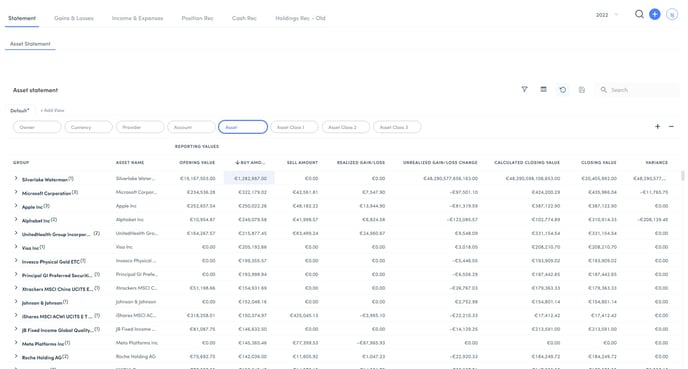
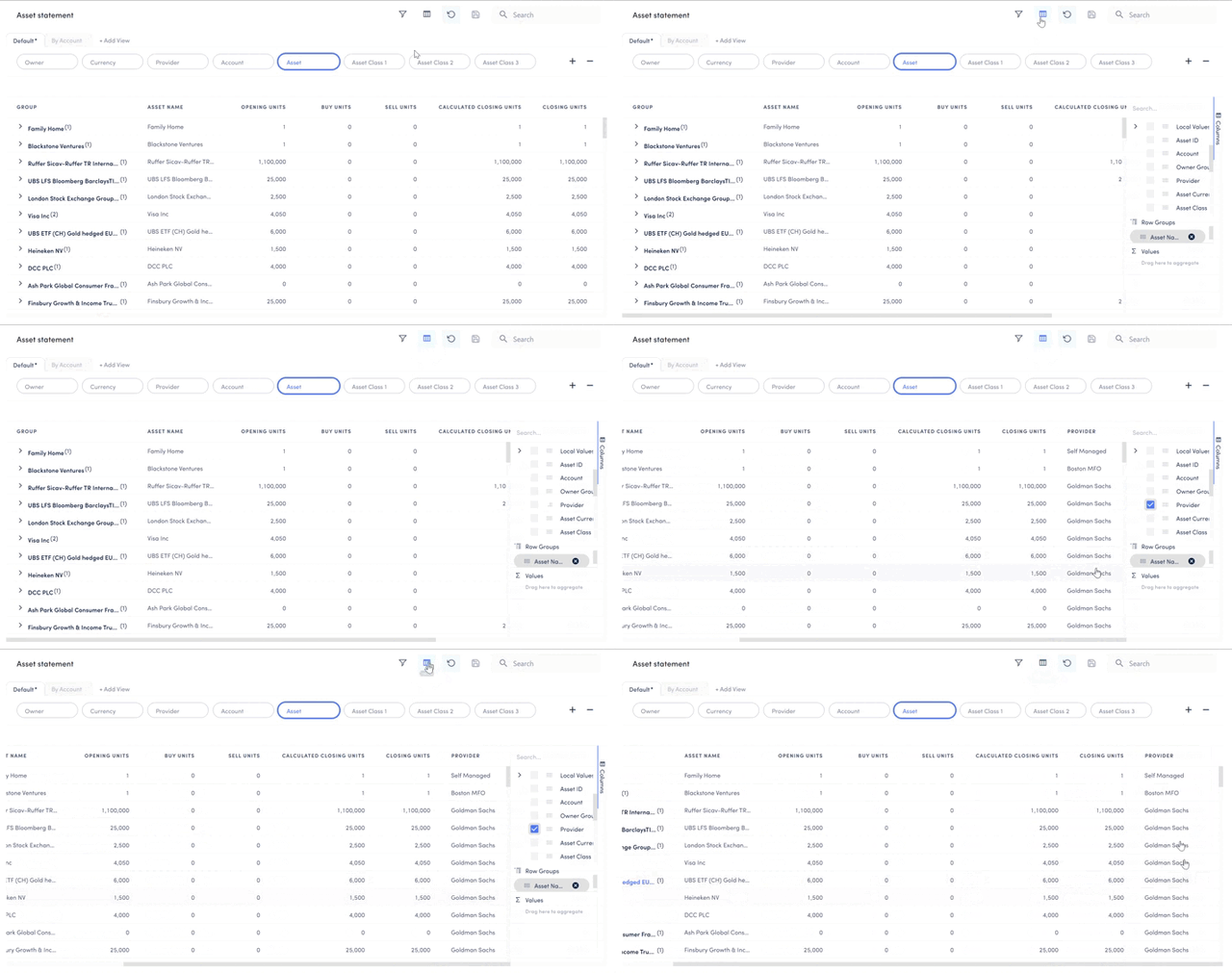
Users can group the data in different ways, i.e, by Owner, Provider, Currency, and so on. Additional data fields can also be added by clicking on the columns icon and selecting the extra fields.
Users can also apply filters to the asset statement to adjust their view better.
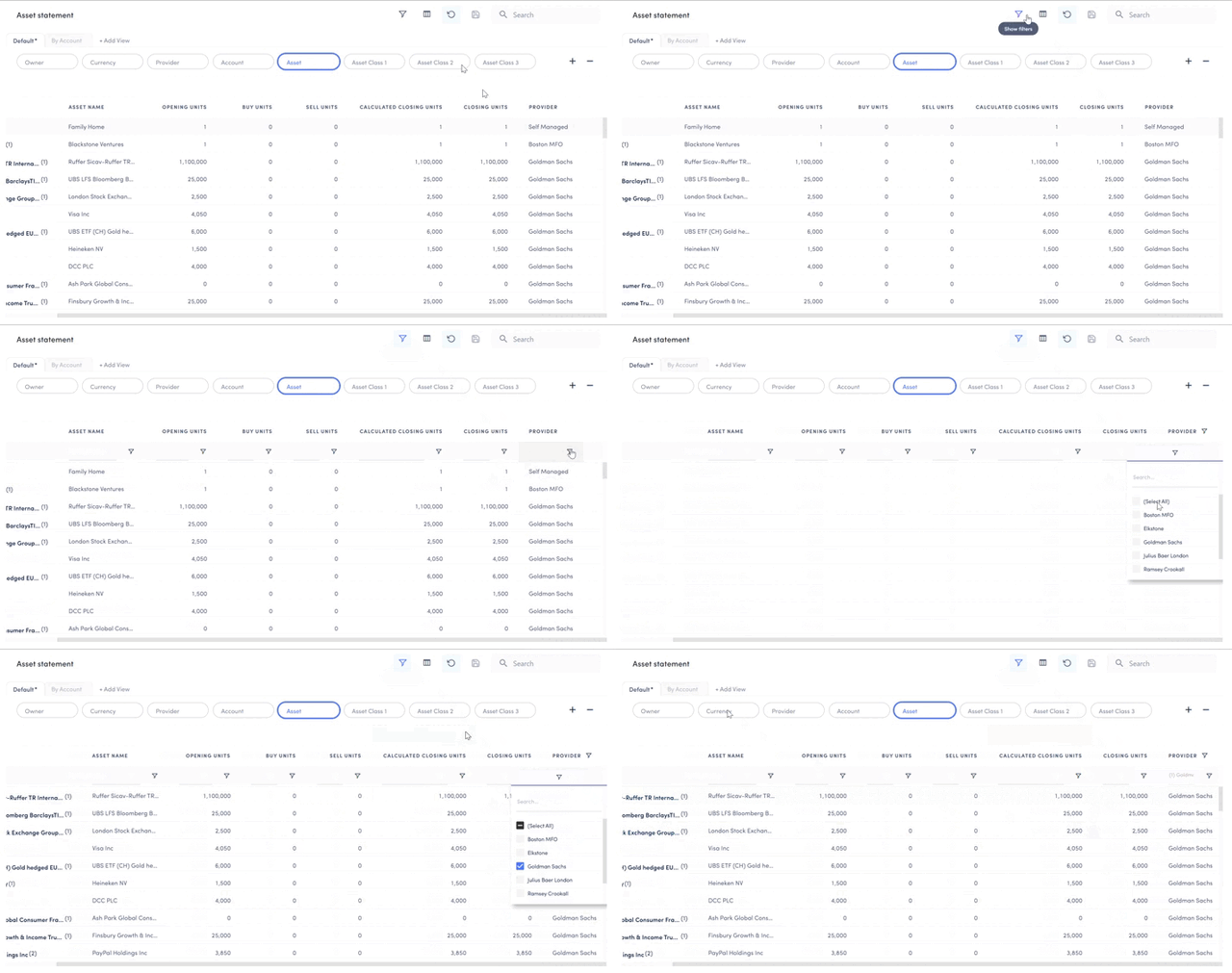
These adjusted table views can be saved and revisited in future sessions helping users save time in setting their preferred view of the statement.