
Product Updates and Releases
Welcome to another exciting chapter in your Asora experience! This release is all about making your workflows smarter, your portfolios more dynamic, and your day-to-day operations just a little bit easier. Here’s what we’ve been working on—with you at the center of it all.
July 2025
Navigate Asora Faster with Our New UI Refresh
.jpg "New Navigation menu")
NEW
We’re excited to roll out Asora’s new UI refresh designed to save you time, reduce repetitive clicks, and make your workflows simpler.
You can now switch between families more easily using the new top-left selector, with the option to pin your favourites for quick access. Dashboards and subdashboards can be bookmarked so they appear right under Home when you log in. You can also pin frequently used owners, entities, and portfolios so they’re always pre-selected. Lastly, we’ve streamlined the navigation menu—dashboards are now grouped under Analysis, Data, and Activity for a cleaner, more intuitive experience.
April 2025
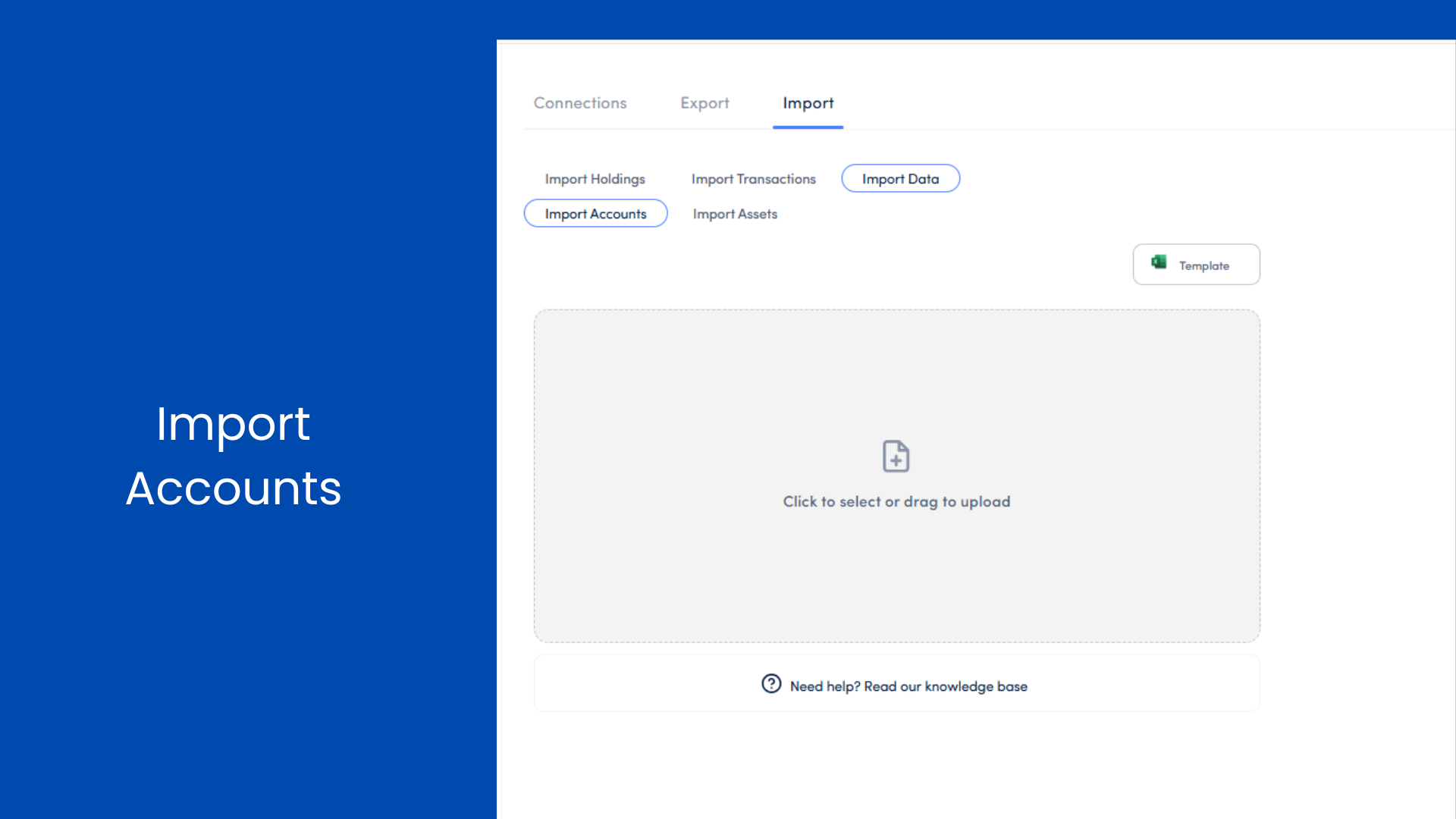
Importing Accounts, at Scale
NEW
Say goodbye to manual entry—our new Account Import feature lets you bulk upload accounts with ease. Whether you’re setting up from scratch or updating existing records, it’s now as simple as uploading a file.
And yes, we’ve thought of everything: automatic account ID generation by region, detailed field validations, and support for updates as well as new entries. It's fast, reliable, and built for scale.
April 2025
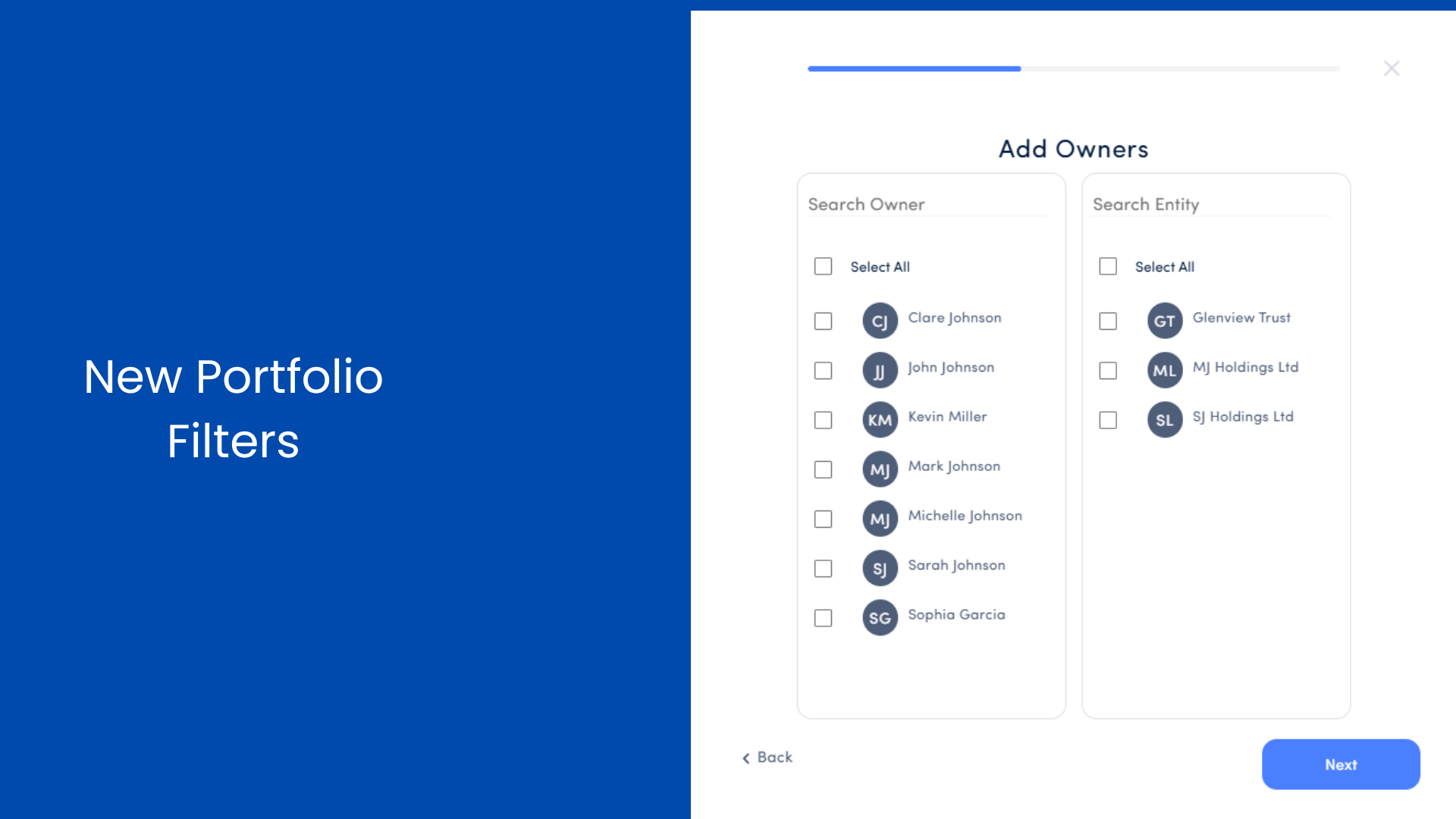
Portfolios That Keep Up With You
NEW
Imagine building a portfolio that adapts automatically as your wealth evolves. With Wealth Type and Owner-Based Portfolios, that’s now possible. Use these new dynamic filters to create portfolios that update in real-time—no manual tweaks required.
Filter by family members or wealth types like personal, business, or trust, and let the system do the organizing for you. It’s effortless customization, tailored to how you think about ownership and structure.
April 2025
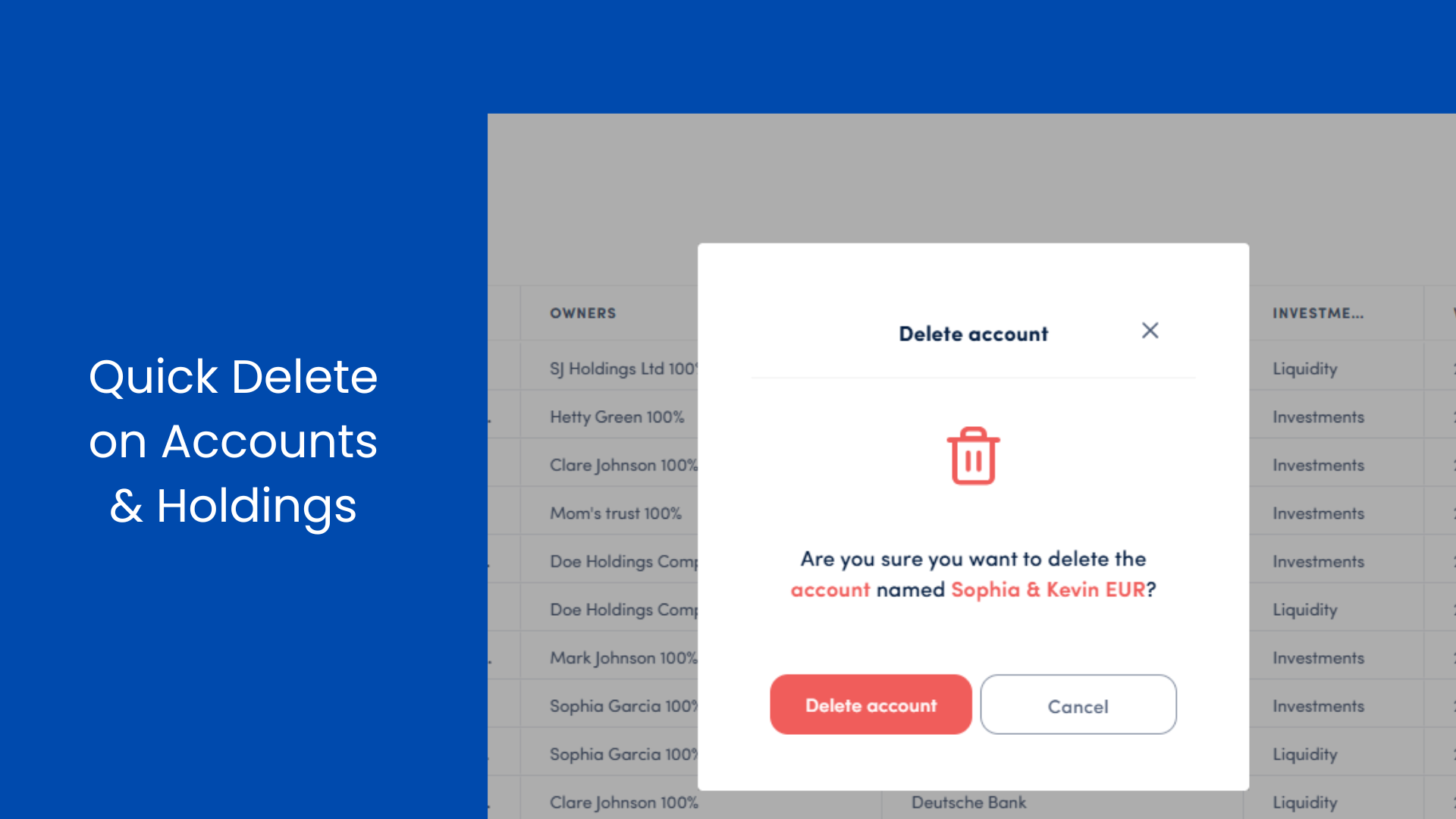
Deleting, Without the Headaches
ENHANCEMENT
We’ve streamlined how deletions work across the platform. Now you can remove accounts and holdings without having to untangle each piece individually. When you're ready to delete, we’ll guide you through the steps and offer prompts to handle associated records.
It's simpler, faster, and designed to keep your data clean with less friction.
April 2025
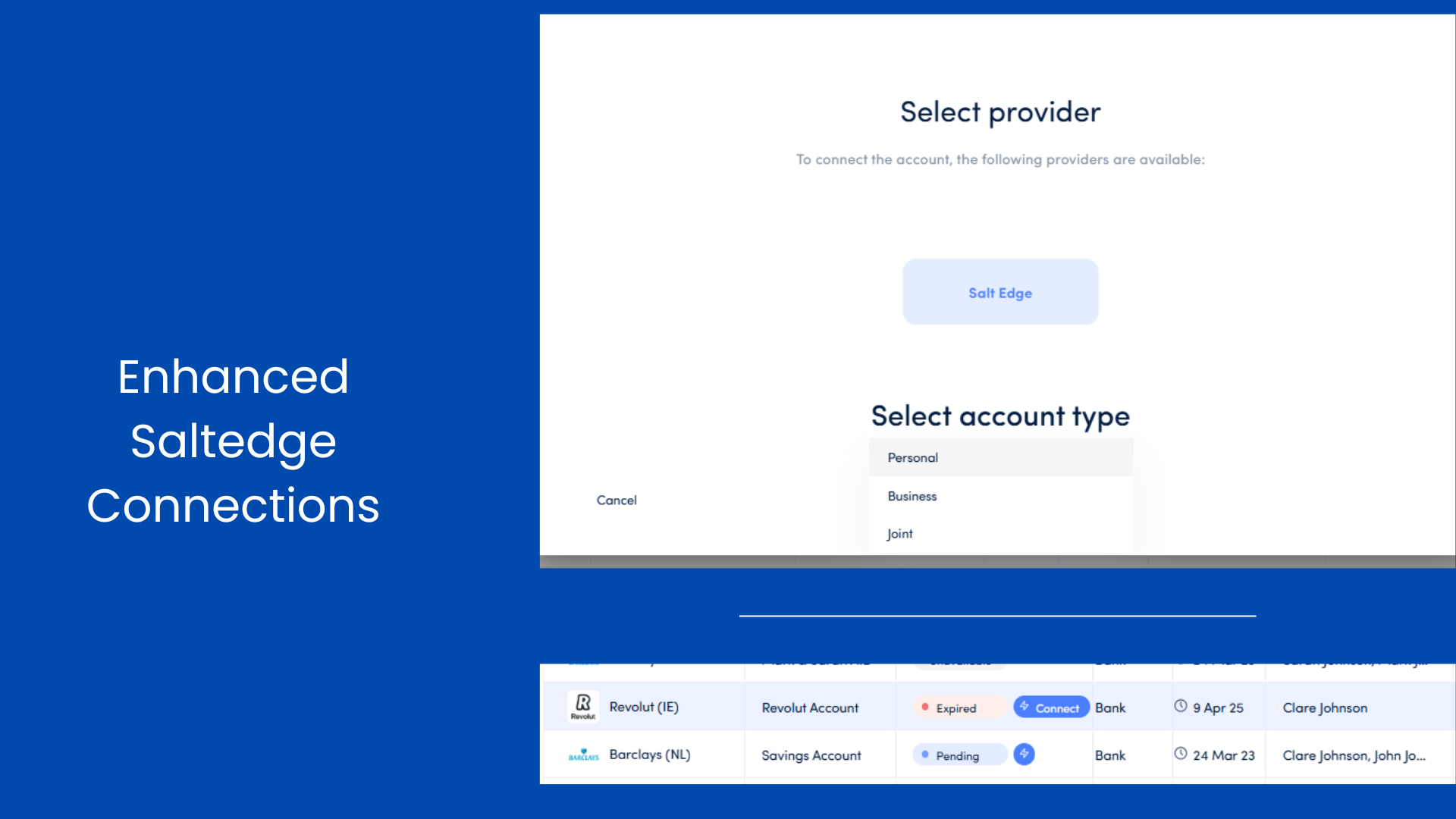
Smarter Bank Connections
ENHANCEMENT
Managing linked accounts just became more intuitive. Now, when you connect a bank account, you can choose the account type—Personal, Business, or Joint—right from the start.
And if a connection breaks? You’ll see a visual alert and have the option to reconnect instantly. We’ve added real-time indicators and recovery flows so you can fix issues on the spot, without needing to call support.
Previously Released
March 2025
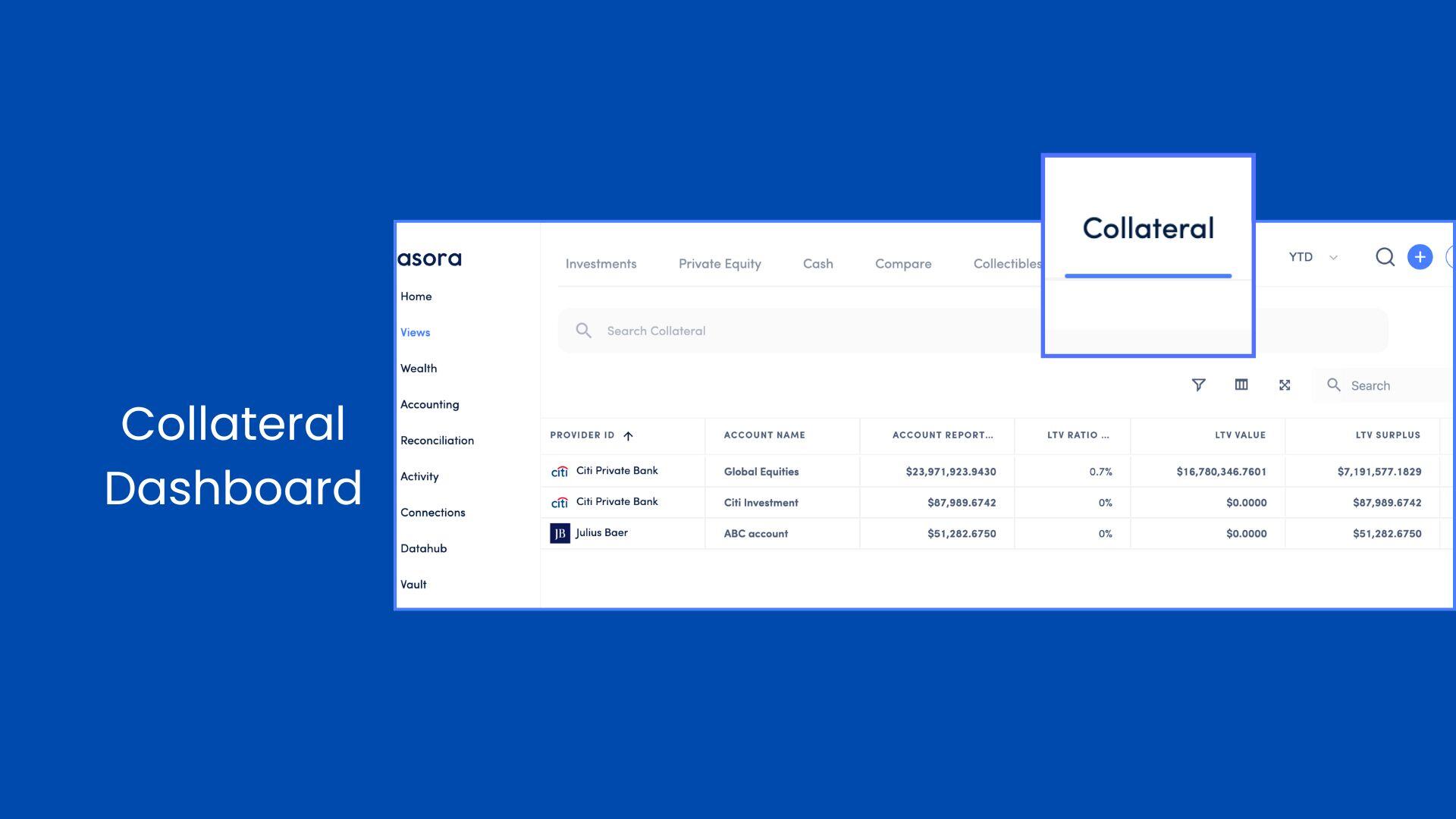
Collateral Dashboard
NEW
Picture this: You’re reviewing your portfolio and need a quick snapshot of all your collateralized holdings. With our new Collateral Dashboard, that’s now a reality. This centralized view brings together every asset and account tied to your liabilities, complete with key metrics like LTV ratios and surplus calculations. It’s your one-stop shop for monitoring secured assets with ease and precision.
March 2025
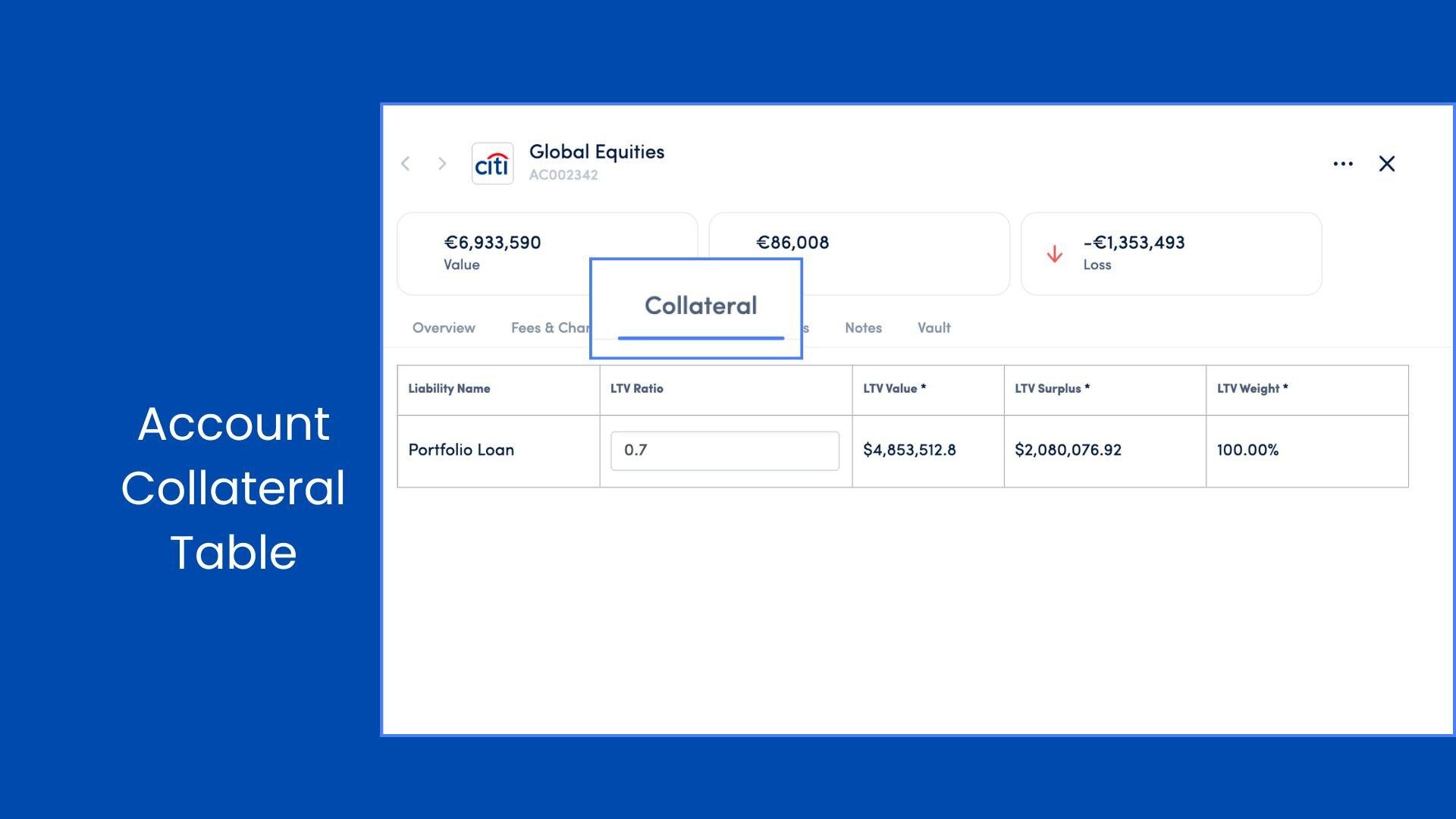
Account Collateral Table
NEW
Ever wanted to use an account to secure a liability? Now you can! Our Account Collateral feature lets you link accounts directly as collateral, mirroring the functionality you love with assets. Once linked, a collateral tab appears on your account card, letting you track LTV details and manage your finances with newfound flexibility.
March 2025
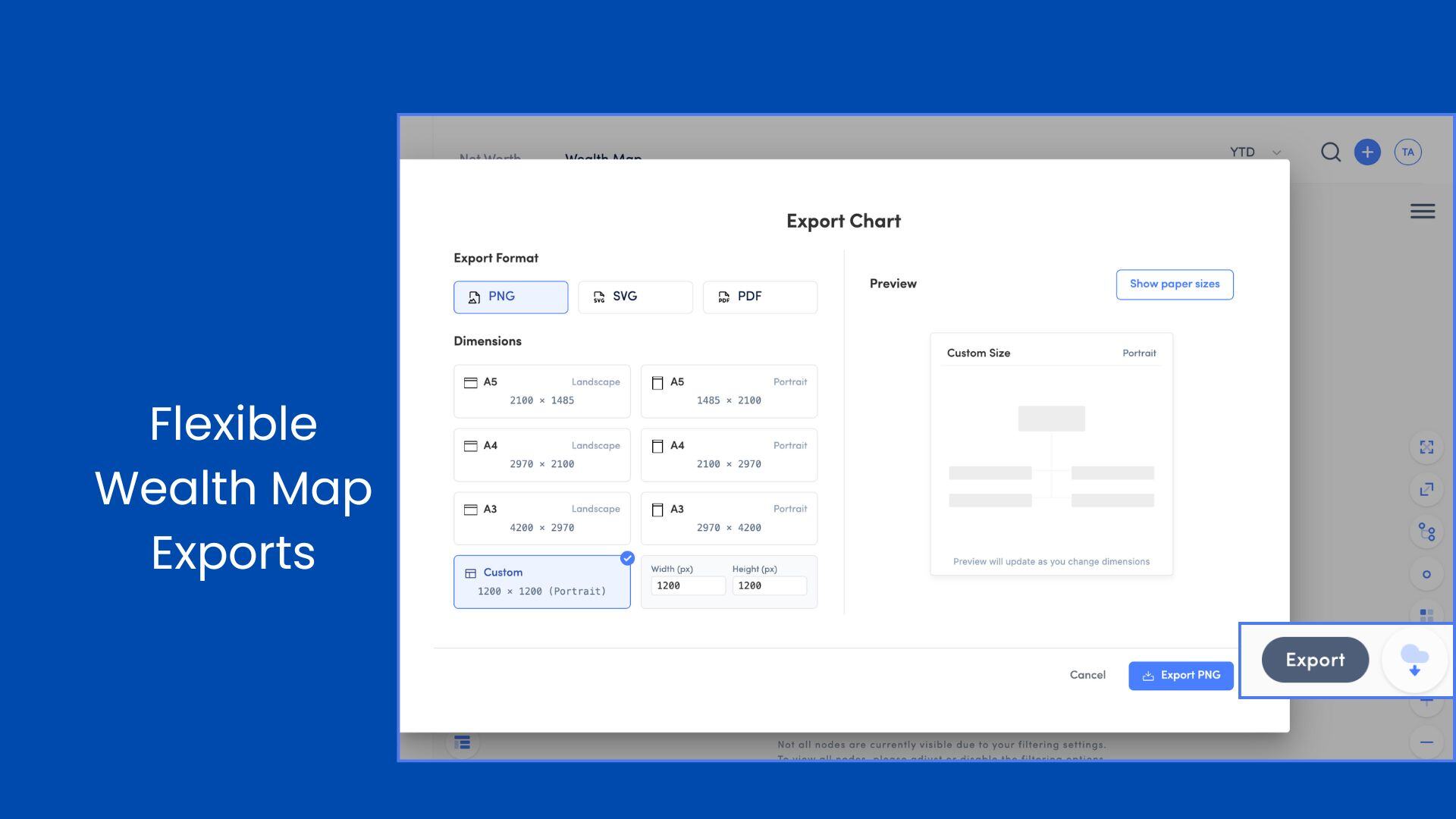
Flexible Wealth Map Exports
ENHANCEMENT
Exporting your Wealth Map just got a major upgrade. You can now download it in PNG, SVG, or PDF format, with flexible sizing options to match your needs. Choose from standard paper sizes—like A4 or A3, landscape or portrait—or set custom dimensions to get the perfect fit. With a live preview and cleaner output, sharing a polished, print-ready view of your structure has never been easier.
March 2025
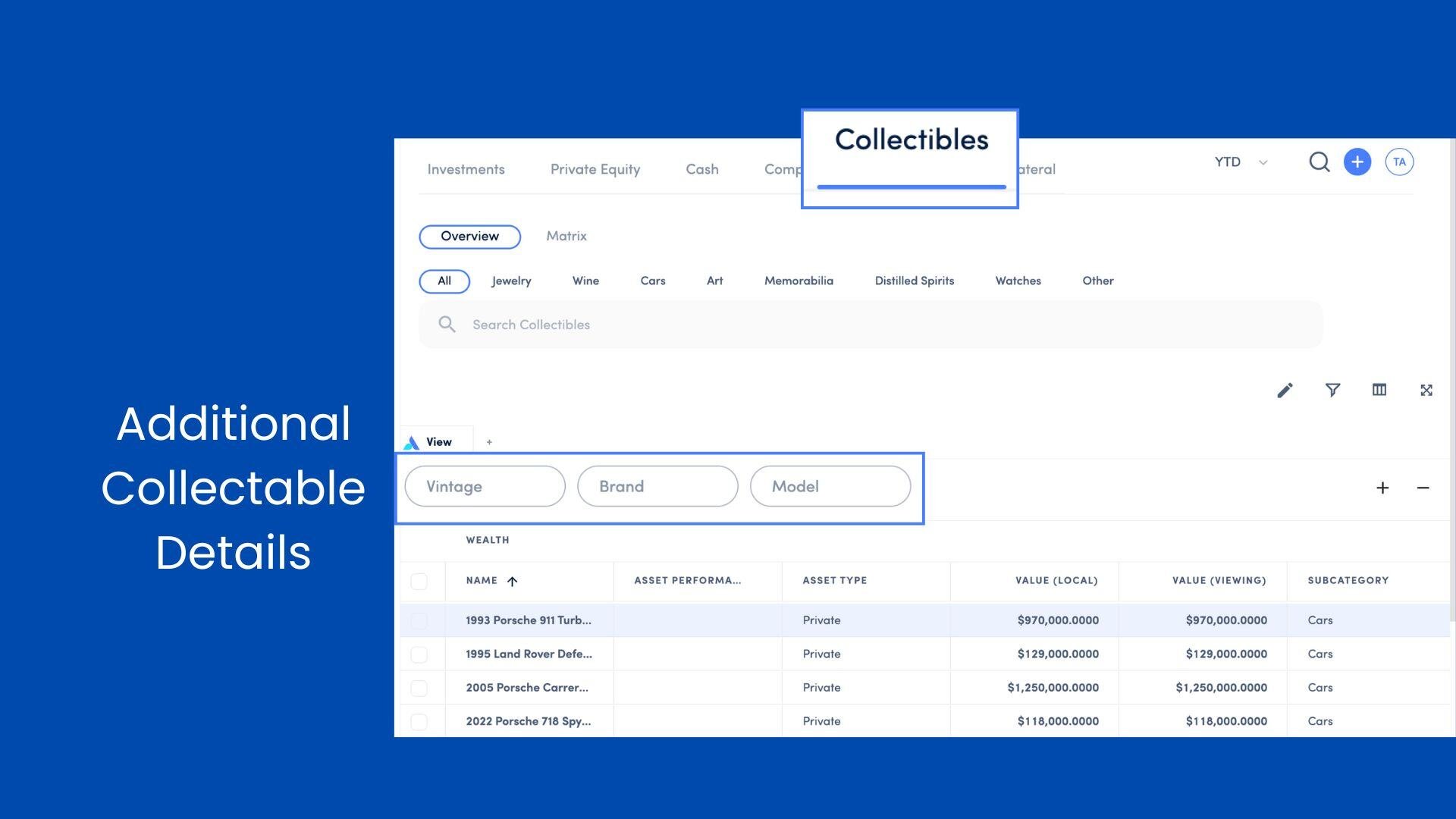
Additional Collectable Details
ENHANCEMENT
Managing your collectables just got more detailed. We’ve added new fields to track production details, characteristics, locations, and quality metrics—think vintage, bottle size, or last odometer reading. Whether it’s wine, cars, or watches, you’ll have everything you need to stay organized.
March 2025
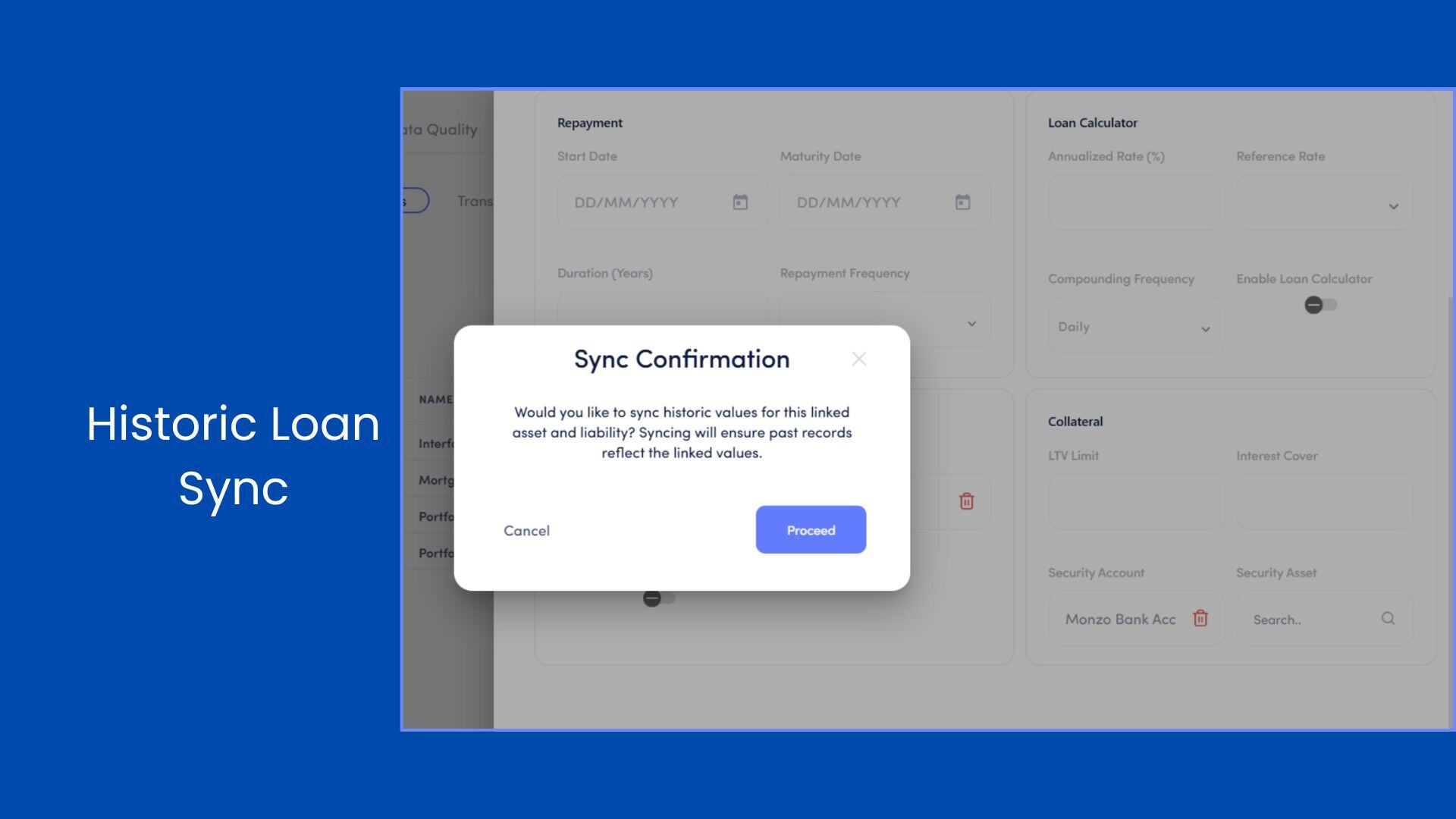
Historic Loan Synchronization
ENHANCEMENT
Accuracy matters, especially when it comes to your financial history. We’ve enhanced our Historic Loan Synchronization, so when you link a loan, its historical data syncs retroactively. No more gaps or guesswork—just a complete, consistent record of your linked assets and liabilities.
March 2025
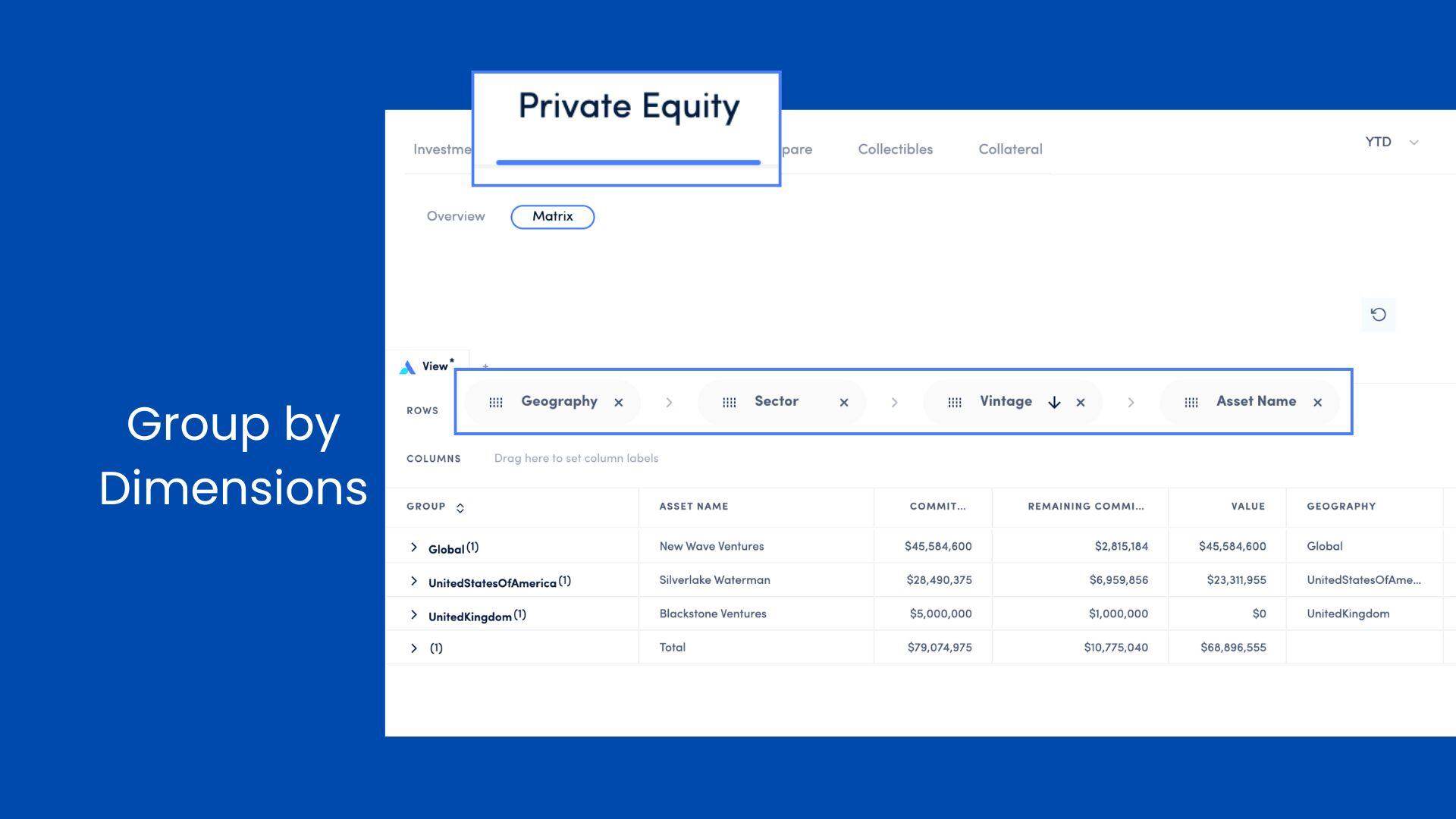
Group by Dimensions
ENHANCEMENT
For those who love digging into the details, our Dimension Groupings update is for you. Now, you can group your private equity investments by dimensions like sector or geography and see aggregated metrics—like total realized gains—right in the table. It’s dynamic, insightful, and designed to save you time.
January 2024
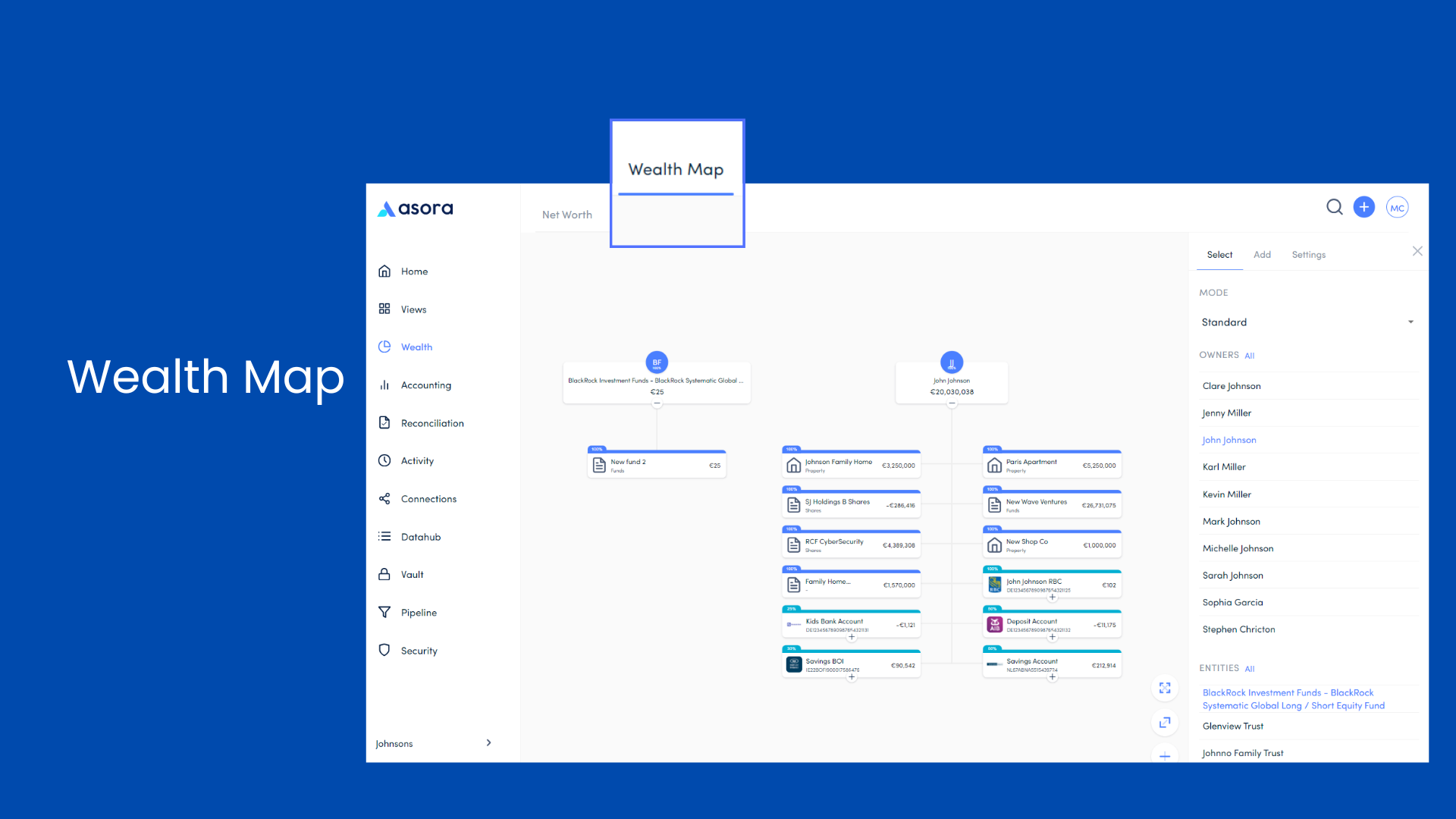
Wealth Map
NEW
Read more about Wealth Map here.
January 2024
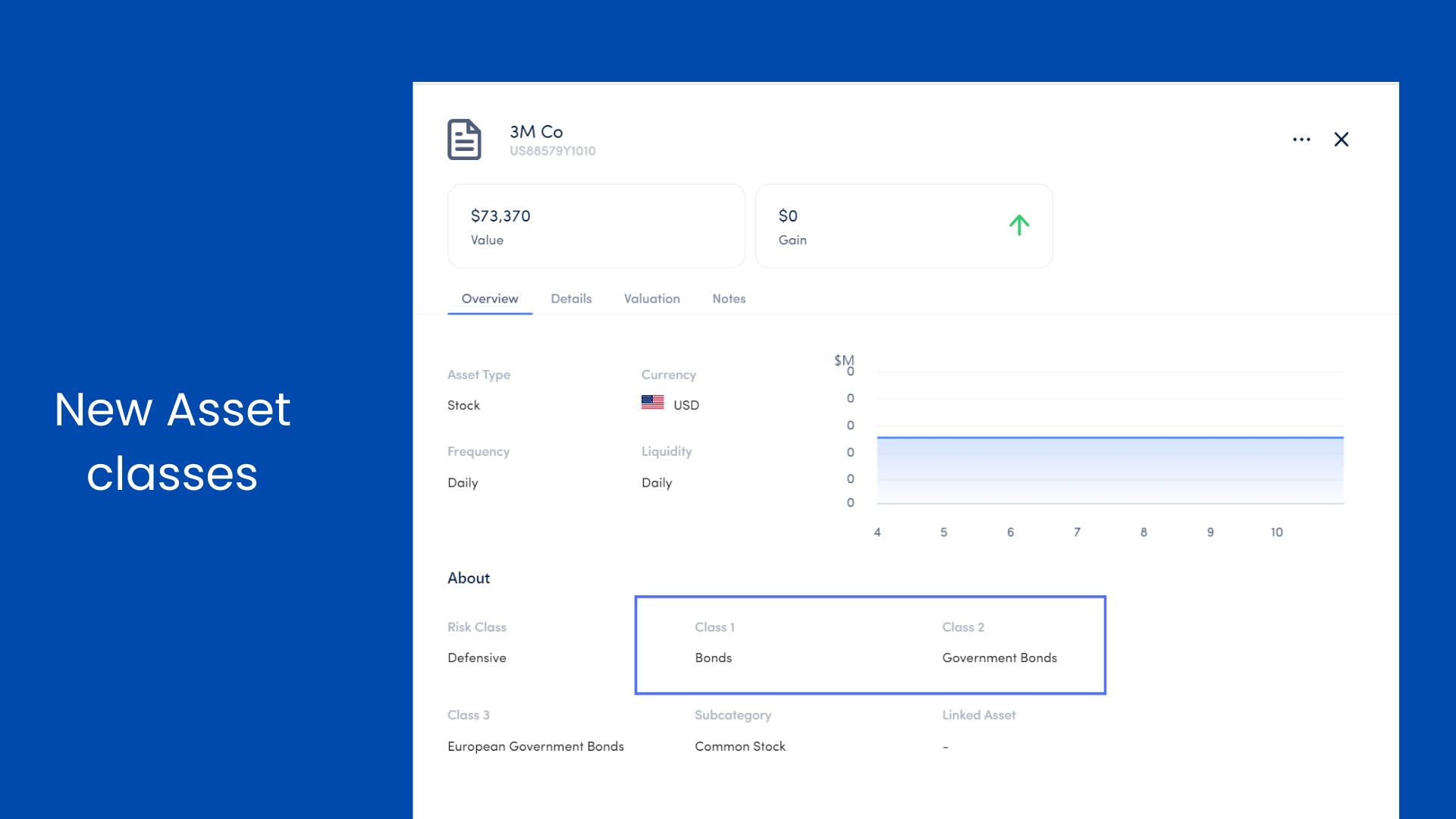
New Asset Classes
ENHANCEMENT
Read about the asset classes recorded on Asora here.
January 2024
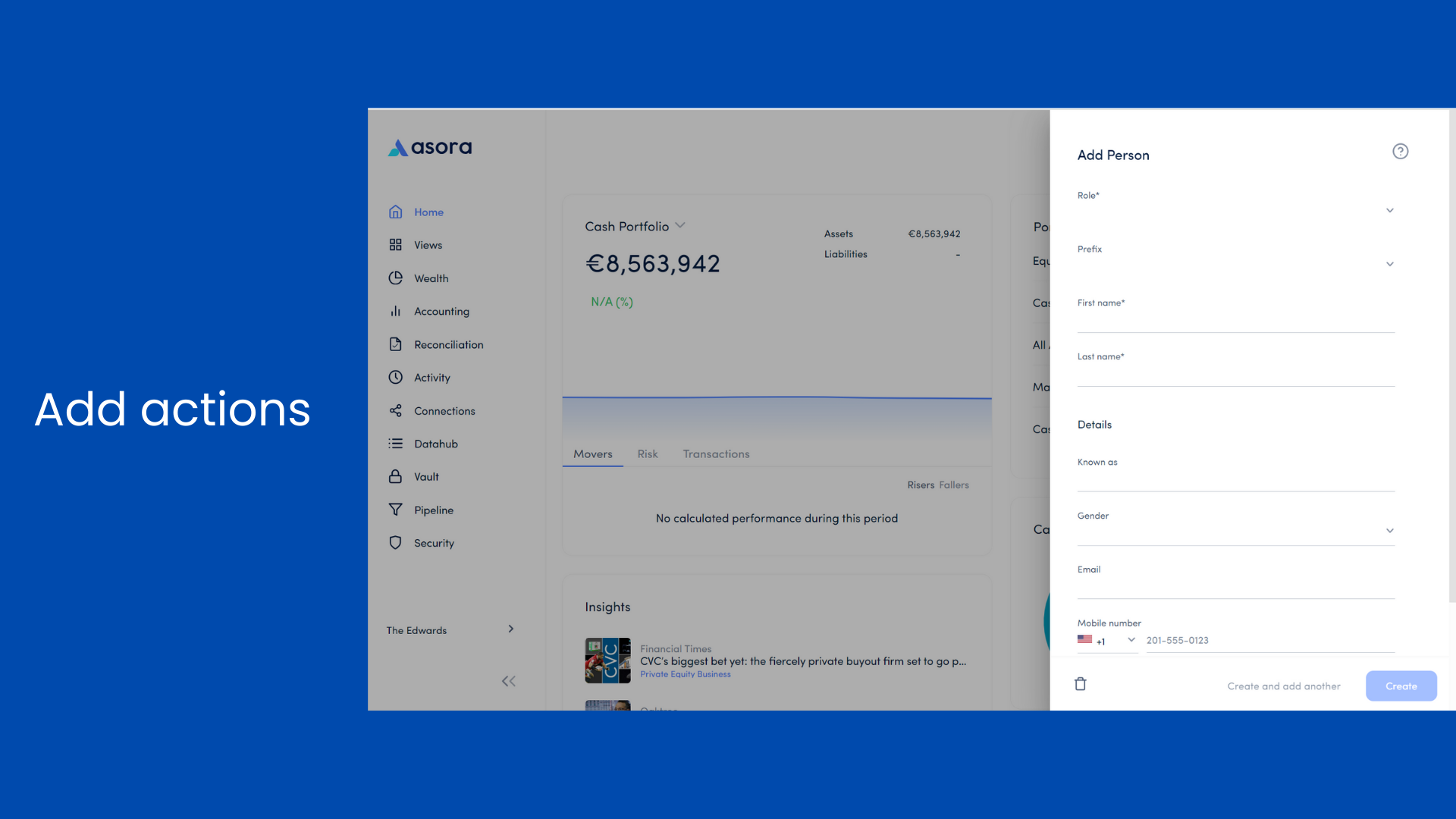
Add Actions
ENHANCEMENT
Read more about how to add a person here.
January 2024
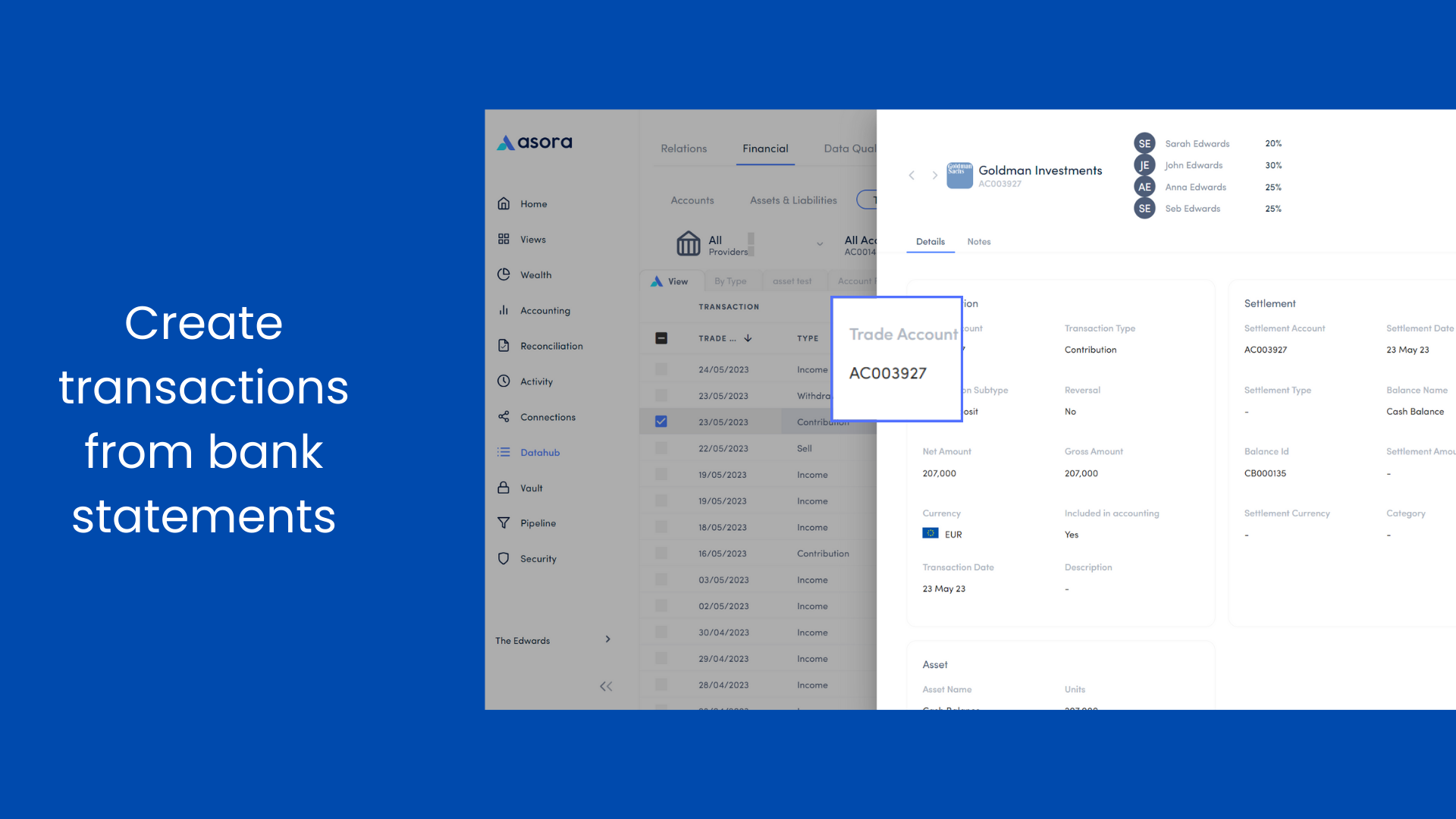
Create transactions from bank statements
ENHANCEMENT
Read more about how to edit the details of a transaction here.
January 2024
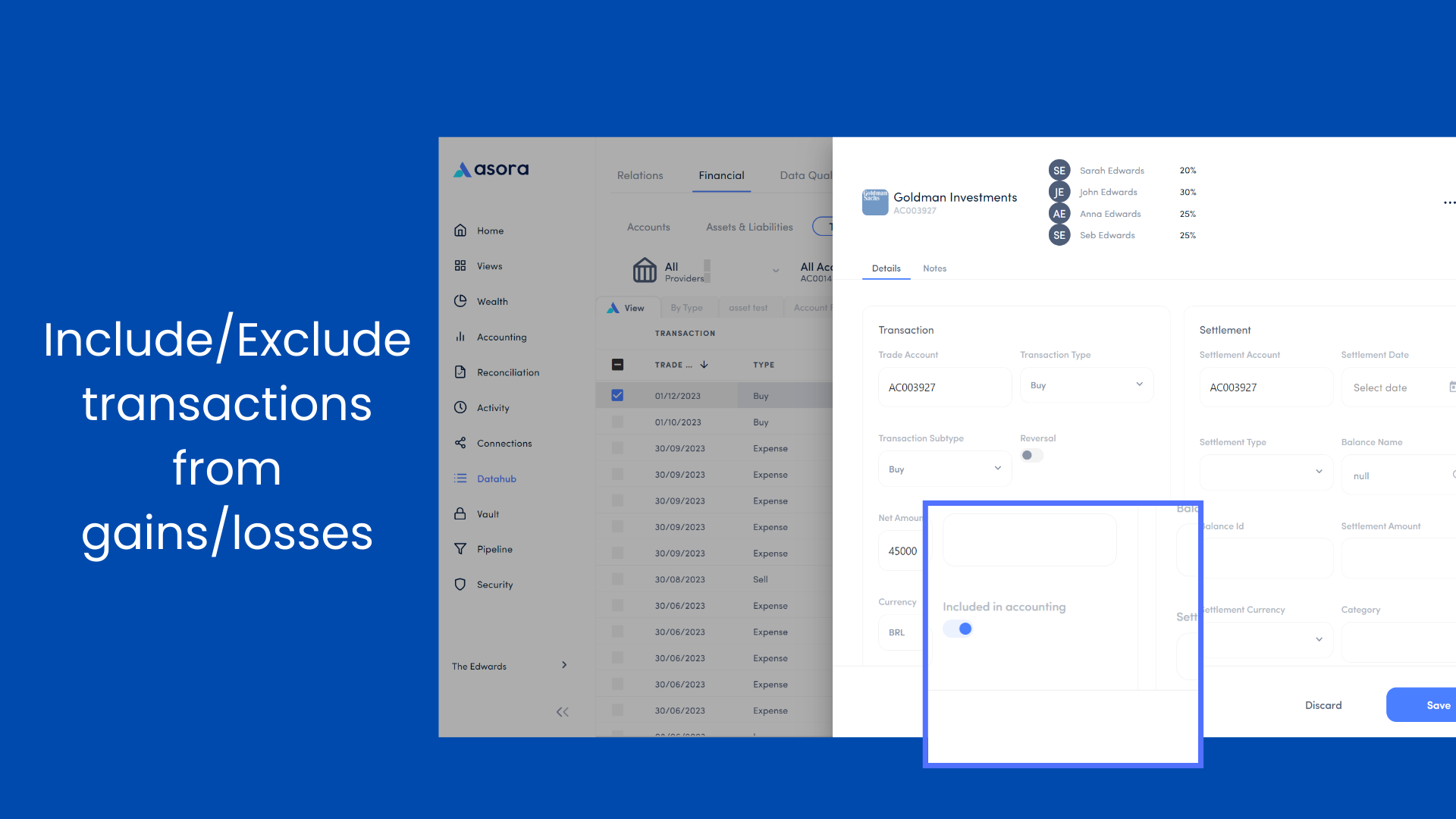
Include/exclude transactions from gains & losses calculations
ENHANCEMENT
We have now added a toggle within the transaction card that lets you decide whether a transaction will be included in accounting gain loss calculations or not e.g. include a contribution of stock to an acocunt as an acquistion.
Read more about how the details of a transaction can be edited here.
January 2024
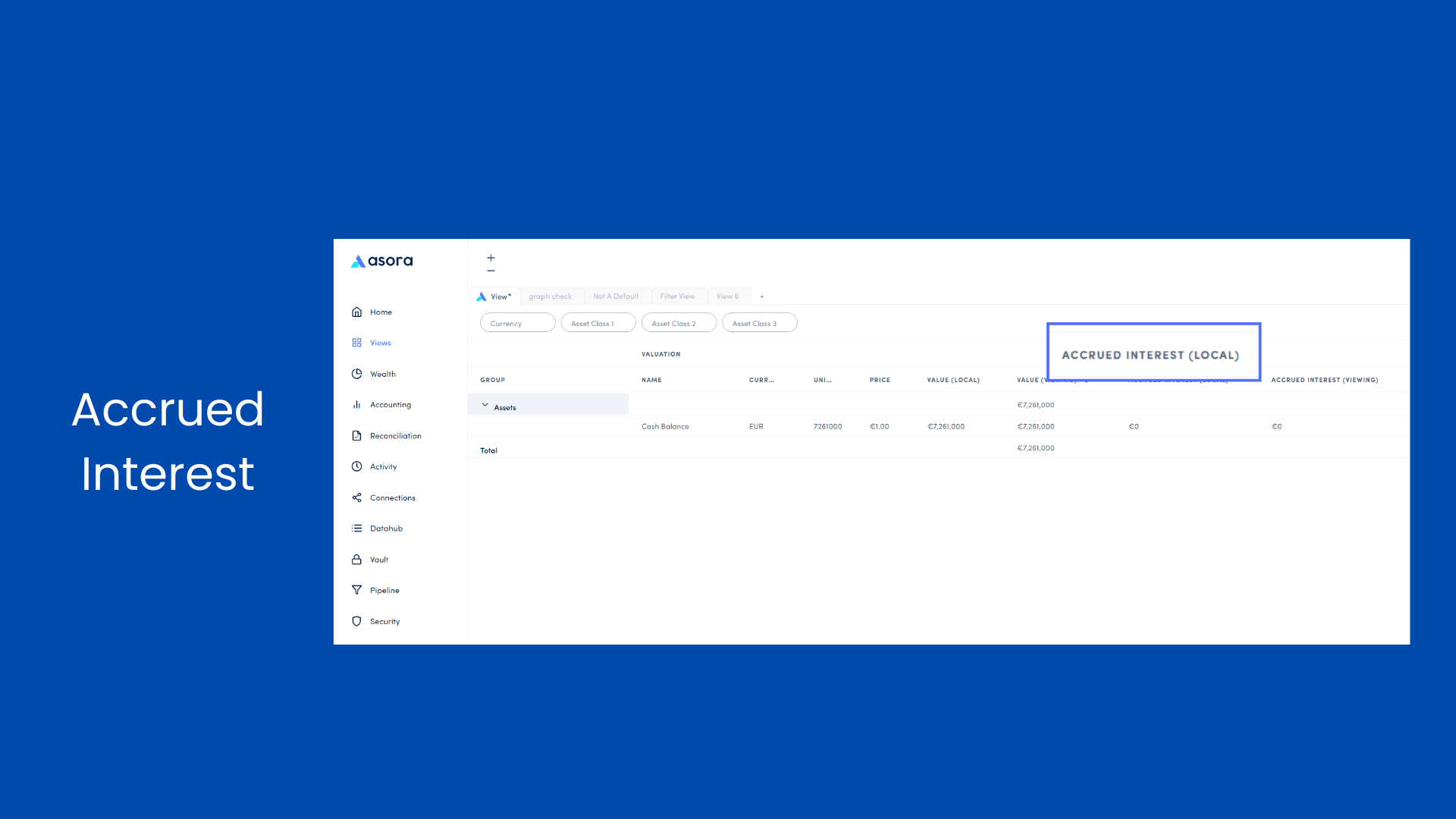
Accrued Interest
ENHANCEMENT
Read more about how to add columns to your table views.
January 2024
Gains & Losses by Owner
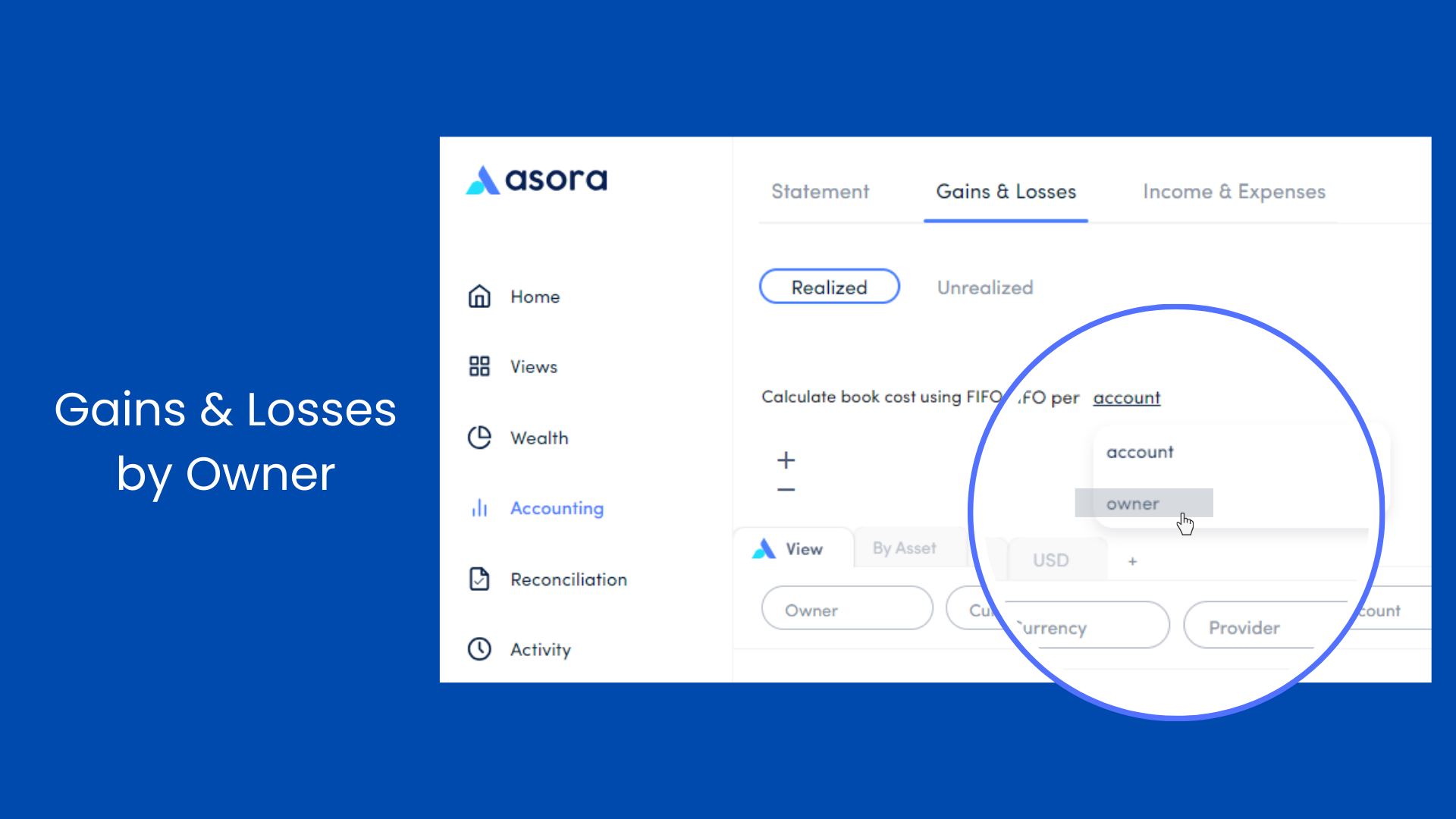
ENHANCEMENT
November 2023
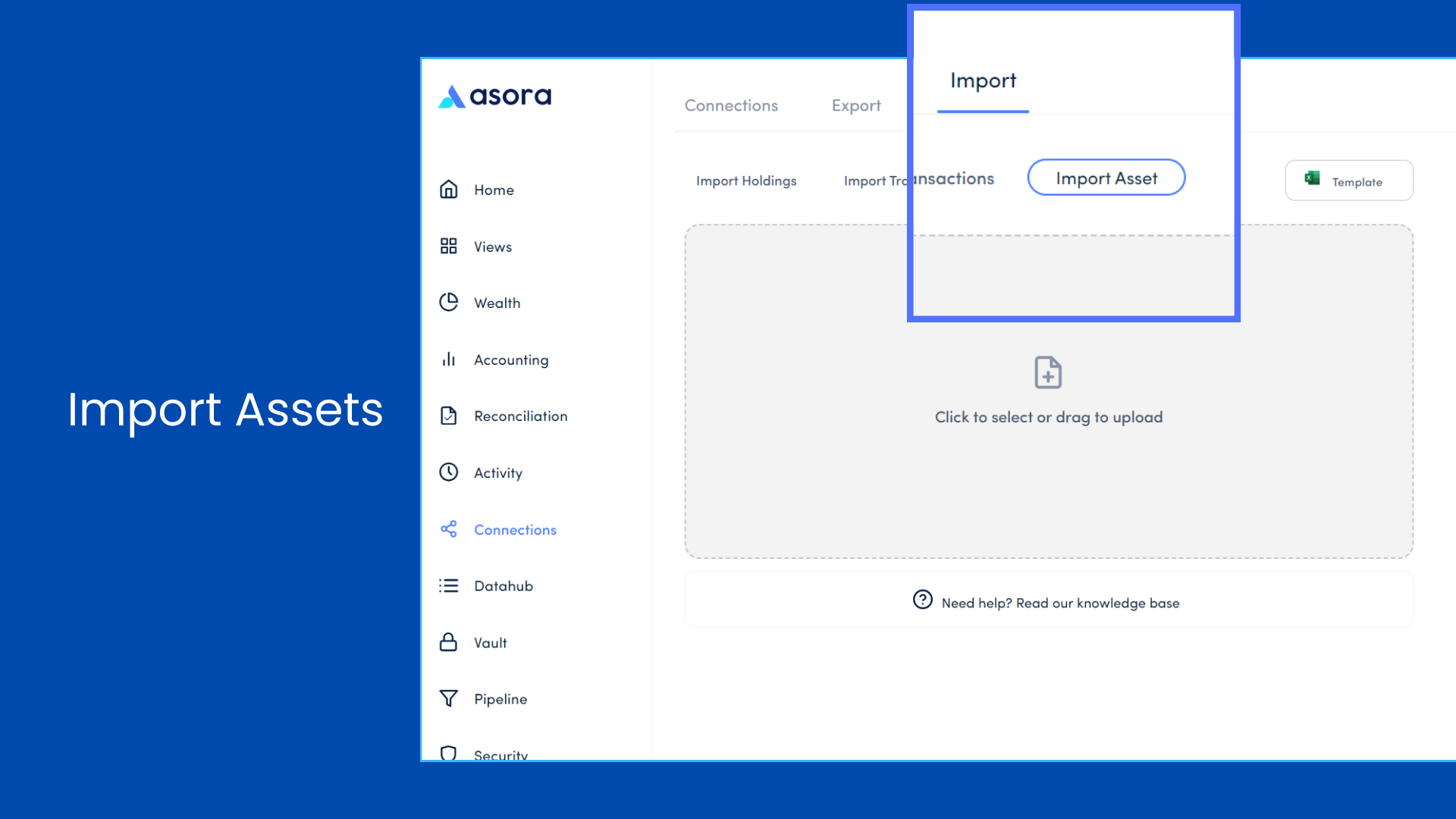
Import/Edit assets in bulk
NEW
Easily create new assets or make edits to the existing ones in bulk on asora via the new assets import template.
Read more about how to import/edit assets in bulk here.
November 2023
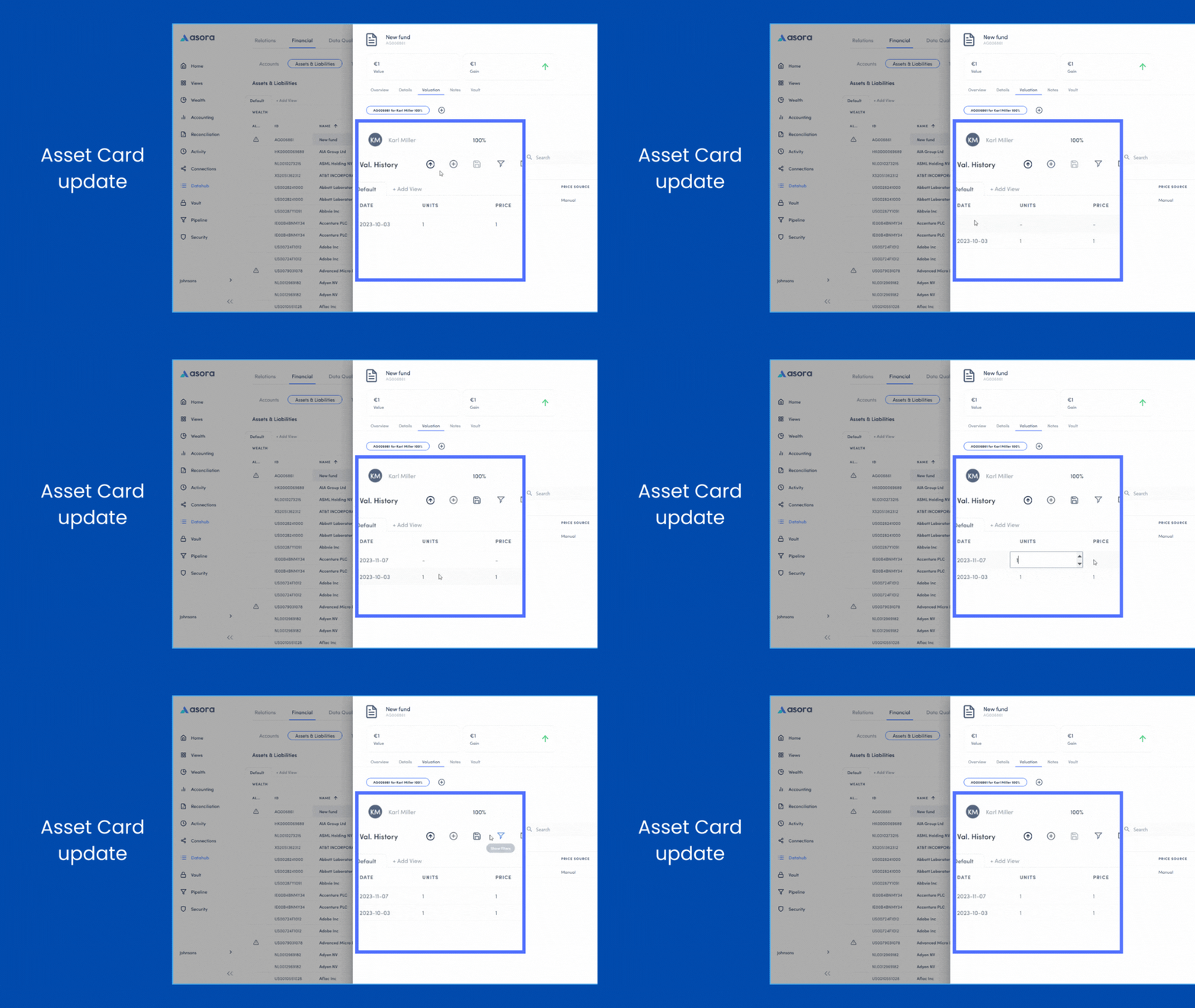
Asset Card Update
ENHANCEMENT
To allow fast update of data within asset cards, we have added in-line editing functionality across the Account and Asset cards. Update valuation details by double clicking on the data fields and then on the save icon.
Read more about how to edit an asset’s valuation details here.
November 2023
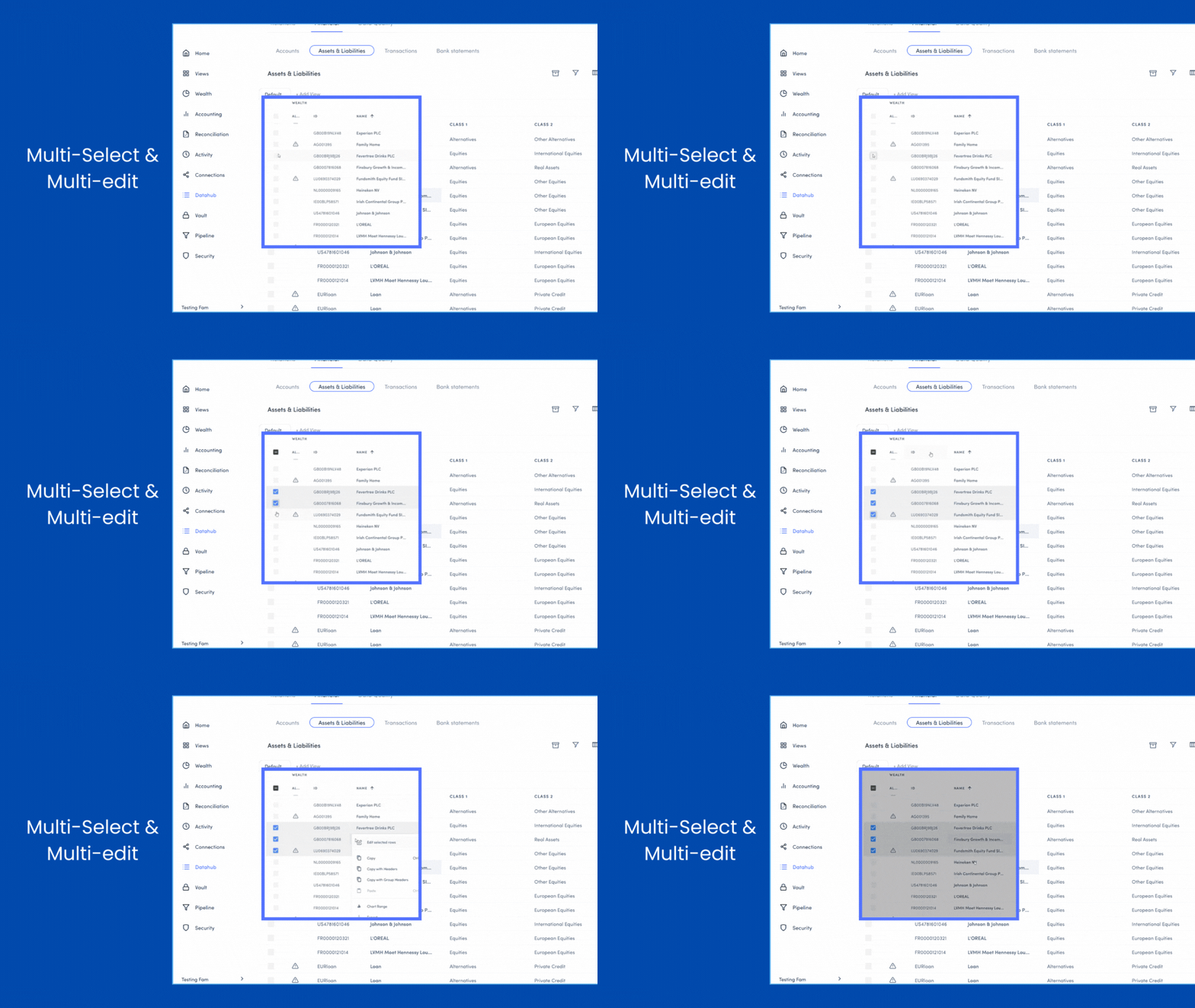
Multi-select & Multi-edit
NEW
A multi-select and multi-edit feature has been added to Accounts and Assets & Liabilities on Datahub to allow quick and easy editing of multiple objects at once.
Read more about how to select and edit multiple accounts and assets here.
October 2023
Reports
.png "Release notes images (1)")
NEW
Reports, a new tab, has been added to Activity. Quickly and easily generate a performance or wealth report in Word or PDF from Asora. Lots more report templates coming soon! Learn more about Reports here.
October 2023
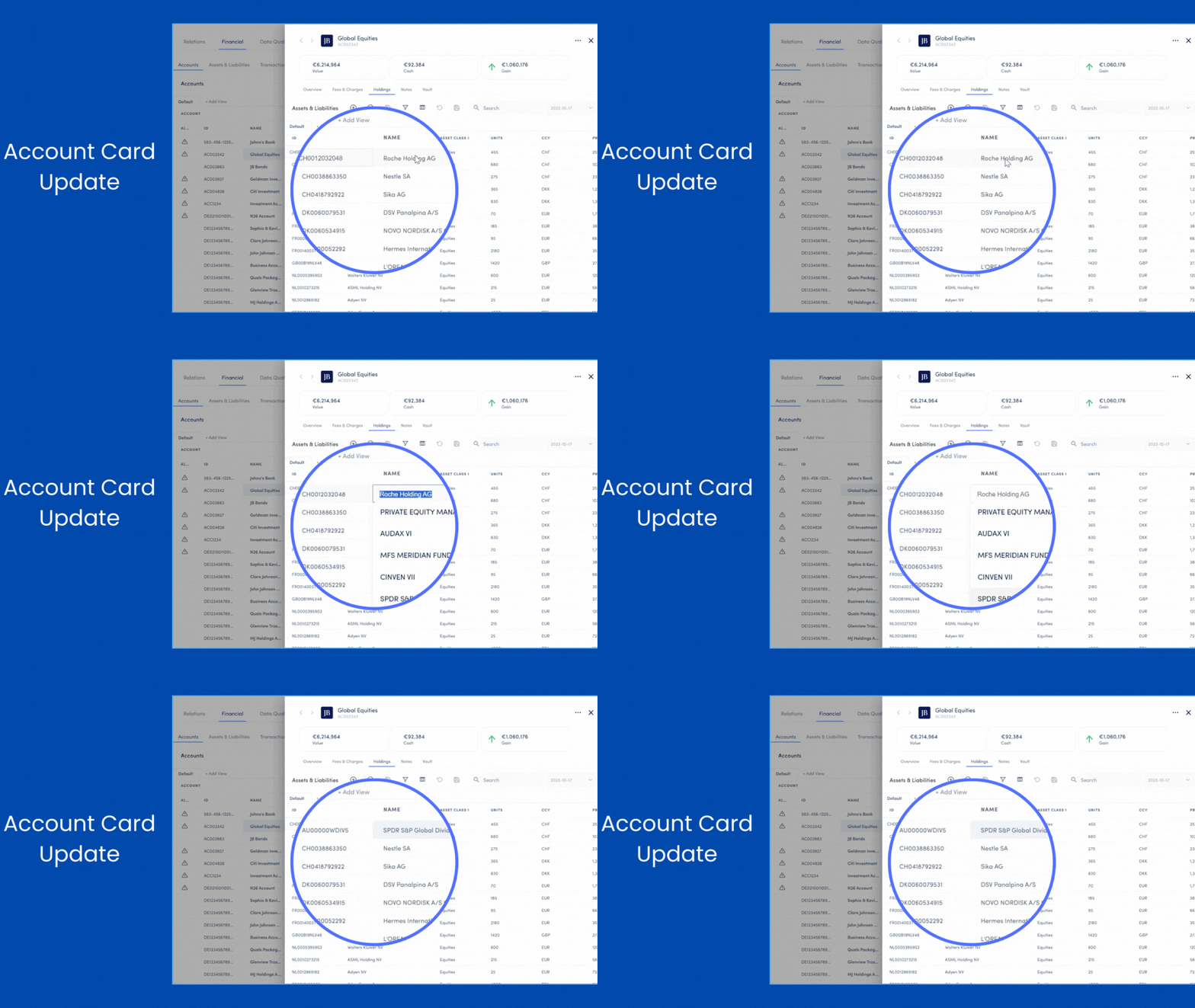
Account Card Update - In line edit
ENHANCEMENT
To allow fast update of data we are adding in line edit functionality across the Datahub and object card tables. First up is the account card valuation table. Update details such as Asset ID, Asset Name, and Units by double-clicking on the data fields.
October 2023
Reconciliation
NEW
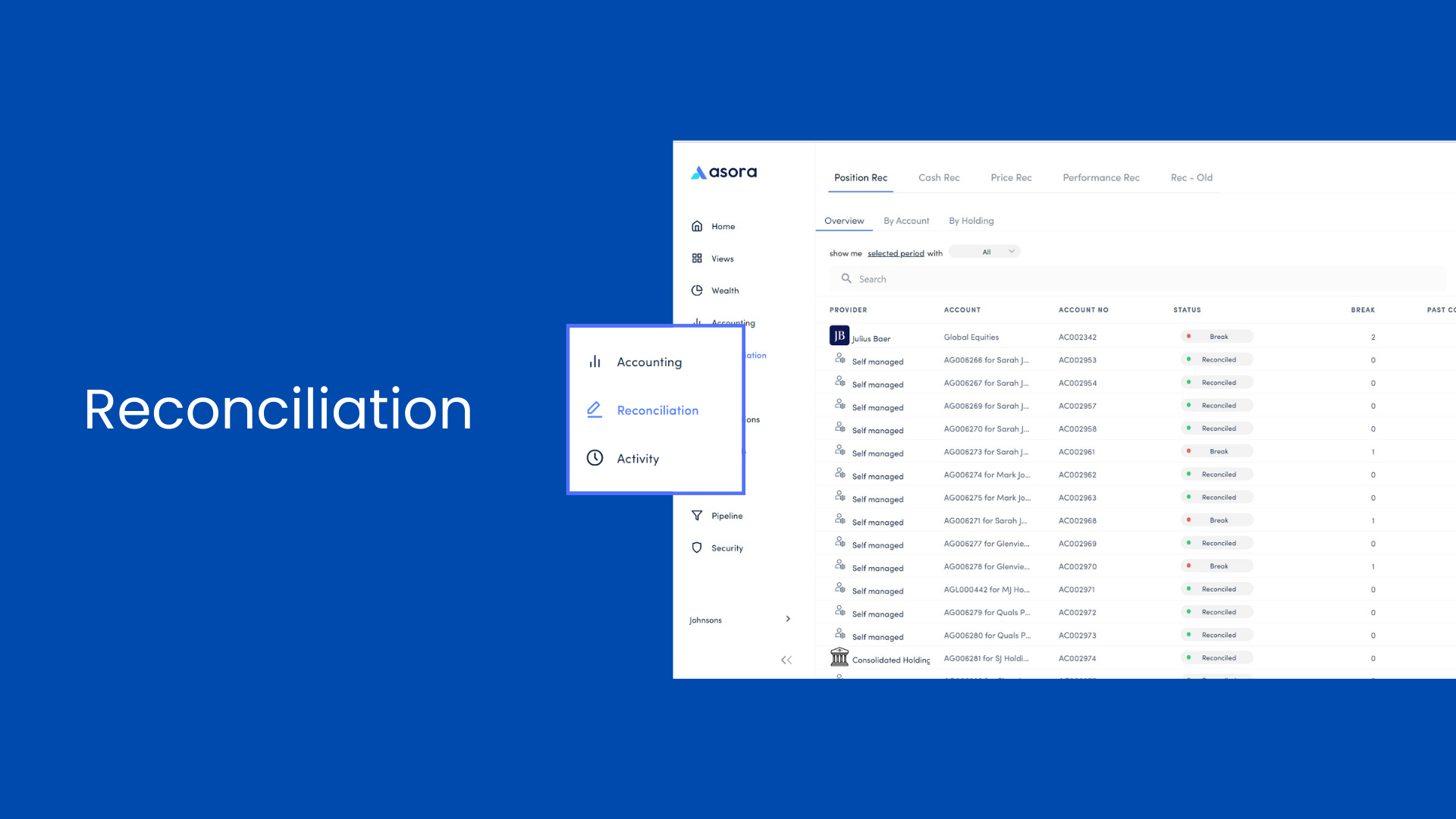
Reconciliation has been given its own separate section on the left navigation menu. Quickly and easily carry out reconciliation checks to locate any discrepancies in your data. This section consists of four tabs – Position Rec, Cash Rec, Price Rec, Performance Rec (note the old reconciliation dashboard is still available as Rec – Old).
Read more about Reconciliations here.
Knowledge Base
Learn more about the Asora platform and your way around it.