
The Investment dashboard is divided into three sub-dashboards:
-
Overview
This section gives you a general overview of the performance of the chosen accounts/portfolios. The following sub-sections help understand the performance of the accounts/portfolios better in the viewing currency:- Value: The value of the portfolio/account for the chosen calendar period.
- Gain/Loss: The gain or loss on the chosen portfolio/account for the chosen calendar period.
- Performance percentage: The gain or loss percentage on the chosen portfolio/account for the chosen calendar period.
- Value graph: The overall value of the portfolio/account mapped on a liner graph against the calendar period chosen.
- Risers & Fallers: The best and worst performing assets that are held in that portfolio/account. This section will display data only if the account and asset performance is switched on.
- Gain/Loss: The gain or loss in each asset class, holding, and currency for the assets included in the portfolio.
- Transactions: Recent transactions (of types buy, sell, and income) linked to the assets included in the portfolio/account.
- Allocation: The break down of assets in the portfolio/account by Asset classes 1, 2, and 3.
- Risk: Risk metrics for the portfolio - growth, liquidity, concentration, leverage.
- Investments overview table: Table with a list of all assets included in the portfolio/account with columns reporting on currency, units, price, value, and others.
-
Equity dashboard
The equity dashboard shows the breakdown of assets currently on the platform with their asset class 1 as 'Equities' in the portfolio/account. You can view this breakdown of assets by Geography and Sector, also mapped against a selected benchmark for comparison. The benchmarks can be selected from the portfolio selector as shown below.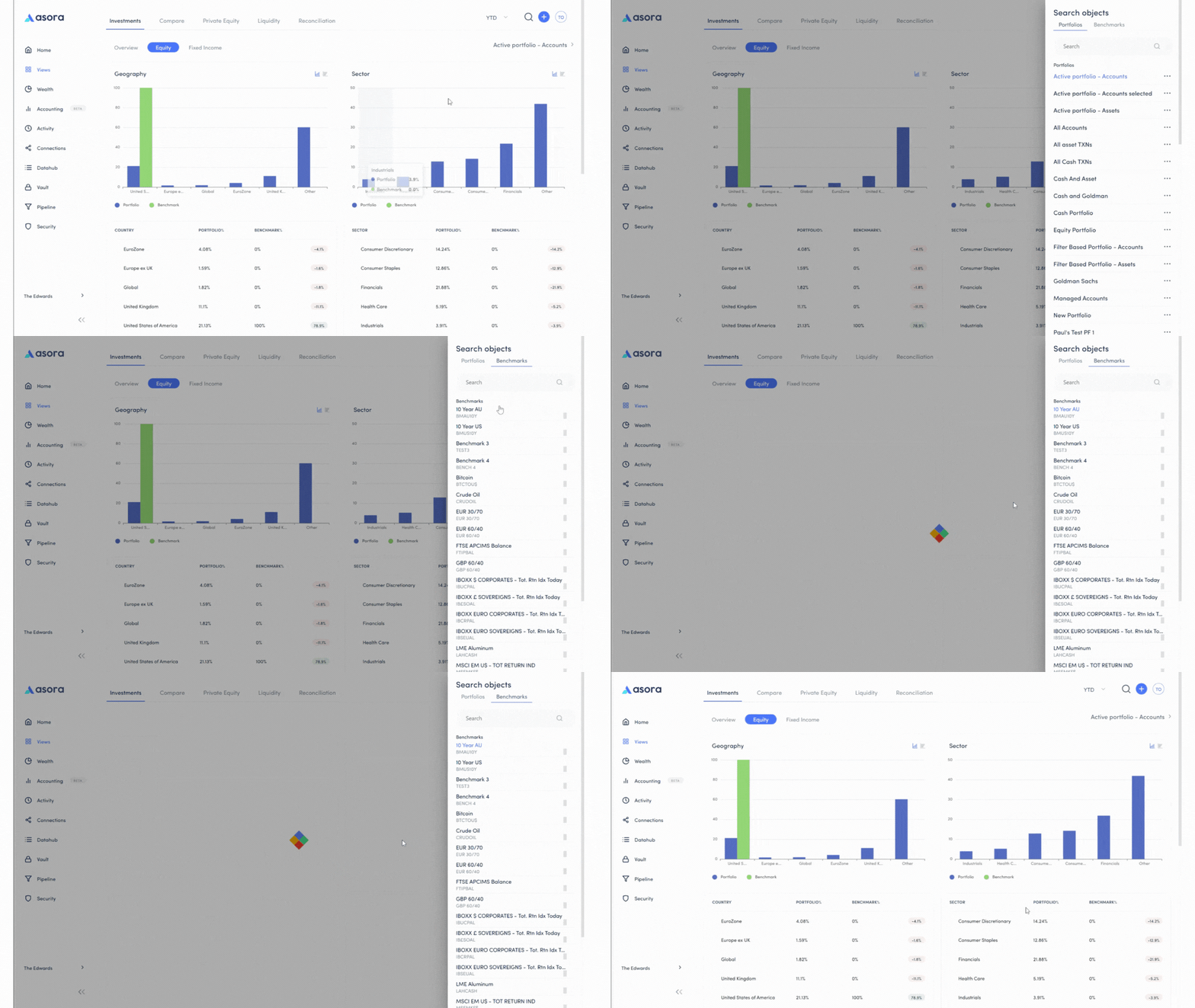
-
Fixed Income dashboard
Similar to the equity dashboard, the fixed income dashboard shows the breakdown of assets currently on the platform with their asset class 1 as 'Bonds' in the portfolio/account. You can view this breakdown by Geography and Sector, also mapped against a selected benchmark for comparison. The benchmarks can be selected from the portfolio selector as shown above.